The Layers panel
/meet editor 2.0
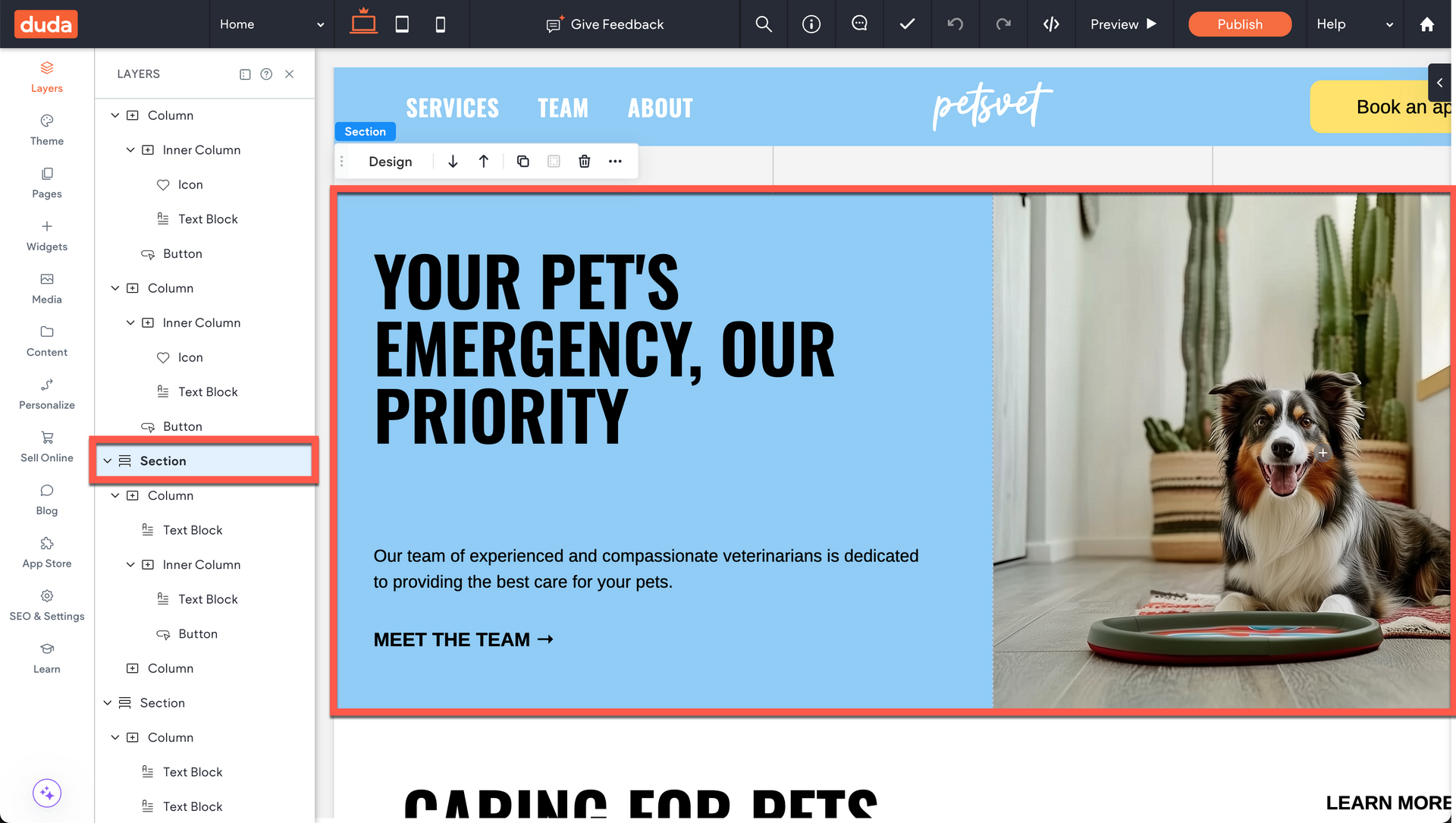
The Layers Panel is key to helping you navigate elements and stay organized. This is where you'll find a list of all the elements on a page and the hierarchy in which those elements appear.
Understanding the Parent-Child Relationship
In Duda, a clear parent-child relationship governs your page structure, giving you precise control over your layouts.
A Section is the top-level parent container for your content. When you add a Section to a page, it automatically comes with two Columns, which are its children. In turn, these Columns become the parent containers for your Widgets.

The indentation in the Layers Panel shows how elements are related to each other in terms of their hierarchy or grouping.
If an element is indented compared to others, it means it is nested within or dependent on the element directly above it. This creates a parent-child relationship, where the parent element controls or contains the child element.
Benefits of the layers panel
In addition to having a better view into the structure of your page, the Layers Panel can also be used for:
Navigation

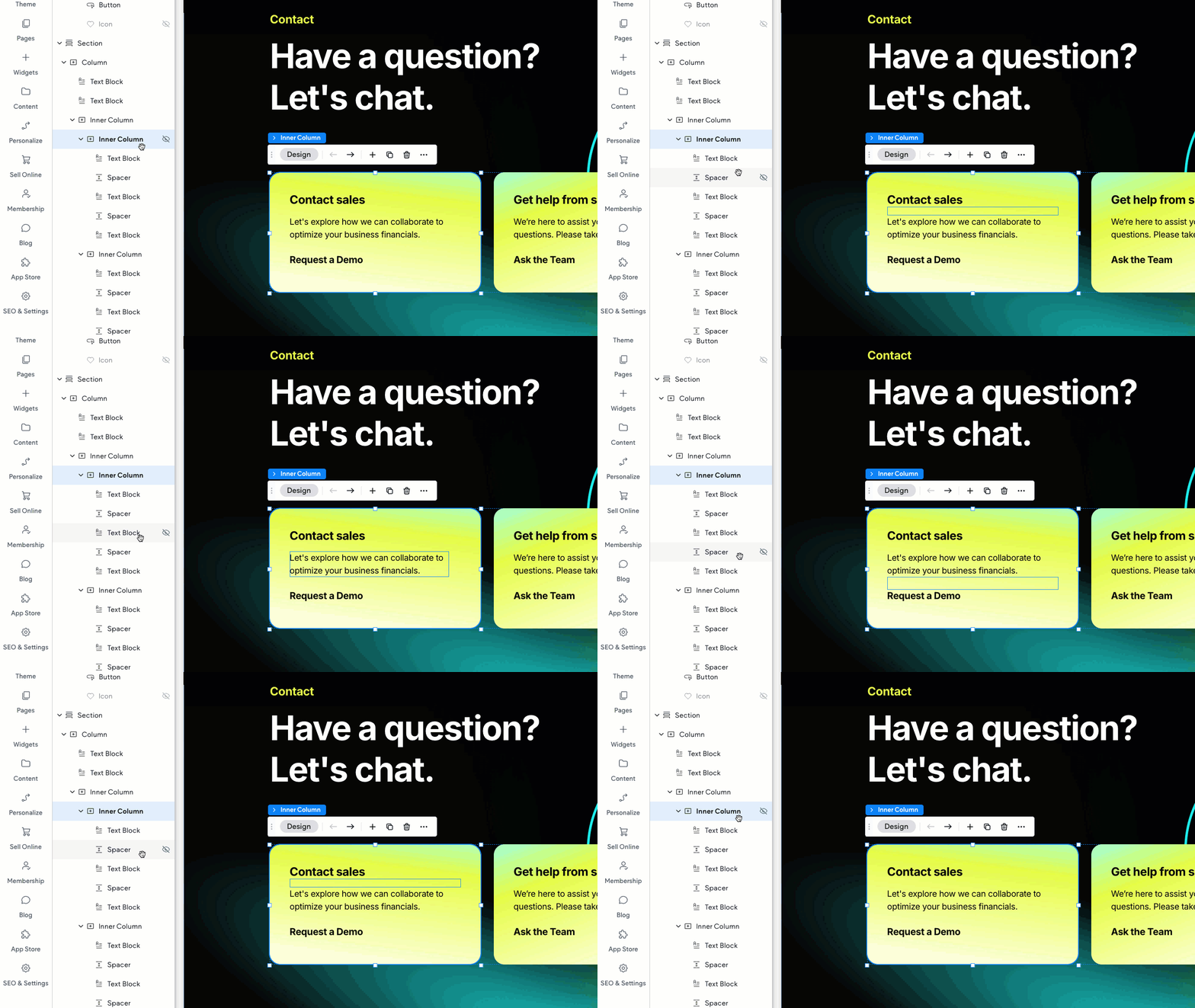
Clicking on a layer in the Layers Panel instantly selects that corresponding element on the Canvas.
This is a huge help when you have elements stacked on top of each other and can't easily click on the one you need. Instead of trying to select it on the Canvas, just use the Layers Panel to pinpoint the exact element in the stack.
Organization
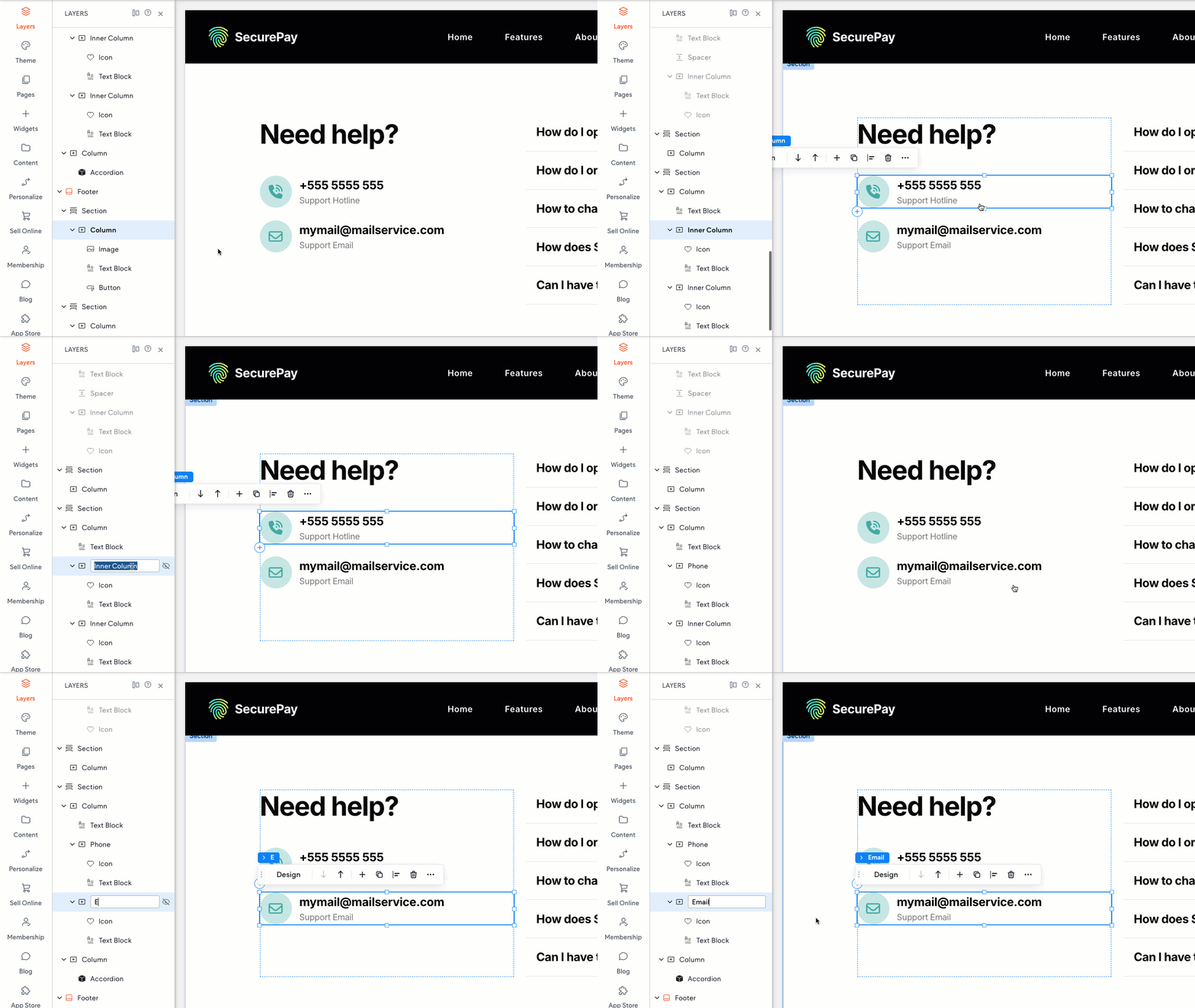
If you have a complex layout with lots of elements, you can label your elements to help you identify and group different portions of the page.
Control element visibility

To control which sections or elements appear on your mobile and tablet layouts, you can manage their visibility directly from the Layers Panel.
Just click the eye icon next to the element's name to hide or show it on the current breakpoint.
Reorder elements
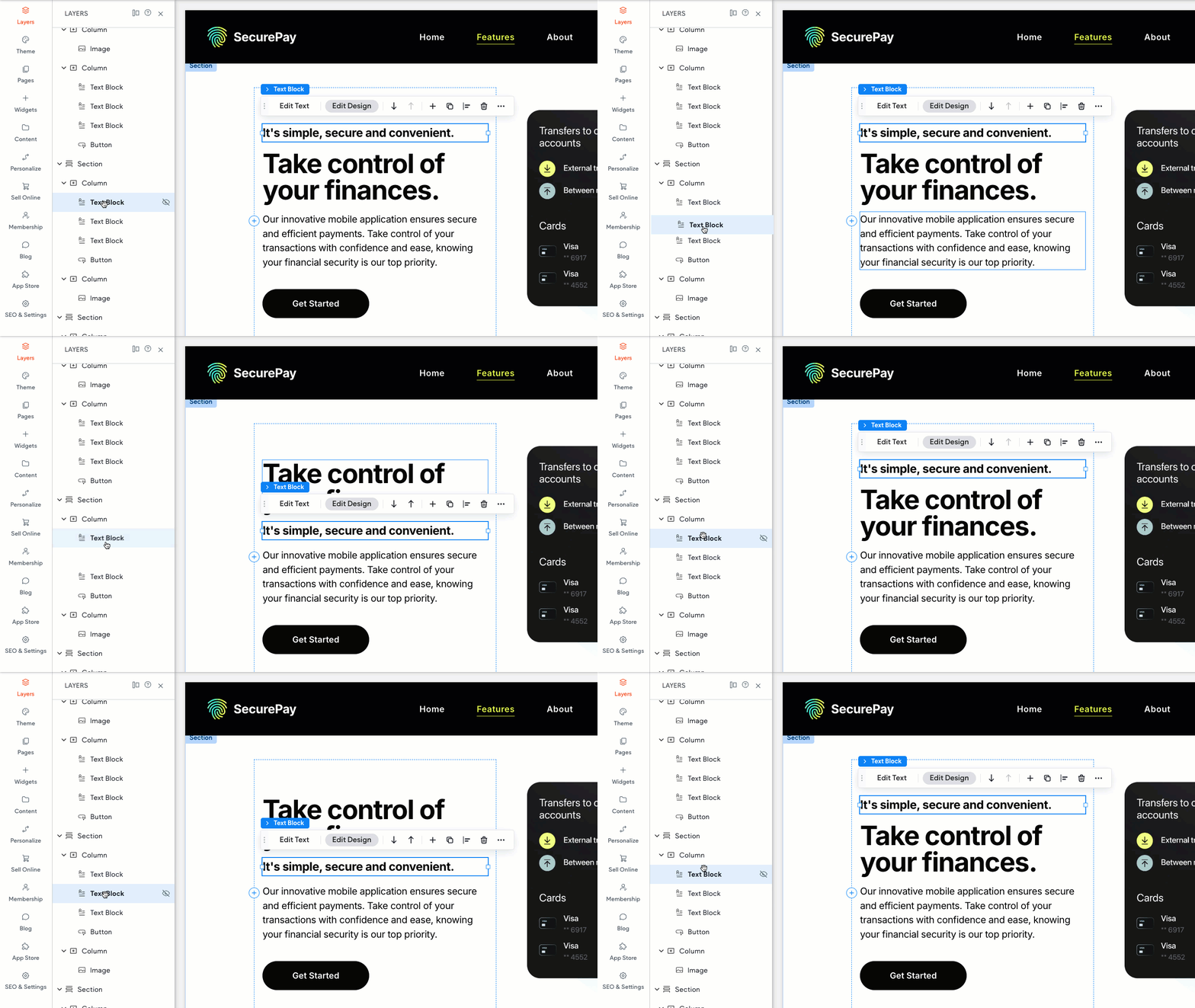
You can easily reorder elements within a Section by simply clicking and dragging a layer up or down the list to change its position. This is especially helpful for managing stacked elements, where the order of layers determines which elements appear on top.
Important
You can use the Layers Panel to reorder elements (widgets, layout element widgets, columns) within a single section.
However, to move an element from one Section to another, you'll need to do it on the Canvas by dragging and dropping.