
/content mapping & automation
Content Collection: Where your site content comes from
So far, we’ve focused on automating how to push data onto a Duda site using the API, but an important question remains:
Where will your content actually coming from?
Understanding your content sources is key to building a smooth and effective automation workflow.
Content source options to consider
Below are a few content intake options you might want to consider as you plan your automation strategy. Each method varies in flexibility, integration potential, and level of effort required:
Collect content directly from client
Duda’s Content Collection Form
Effort Level: ★☆☆
Duda's Content Collection Form is a customizable intake form that allows clients to submit content—like text, images, business info, and more—which is automatically mapped into a site's Content Library. This is the easiest and lowest-effort method to gather text and images from customers.
Keep in mind:
- Customization is limited to adding new text fields only.
- These new text fields will not automatically sync to the Content Library under “Business text” as custom text fields—you will need to sync these manually.
- Images uploaded through this form are stored in the Media Manager but won’t automatically be available for use as business site images. Manual configuration is required.
Automate Duda's Content Collection Form
If you're looking to automate
Duda’s Content Collection Form, you can do so by making a call to the
Site Object API and retrieving the
content_collection_form key.
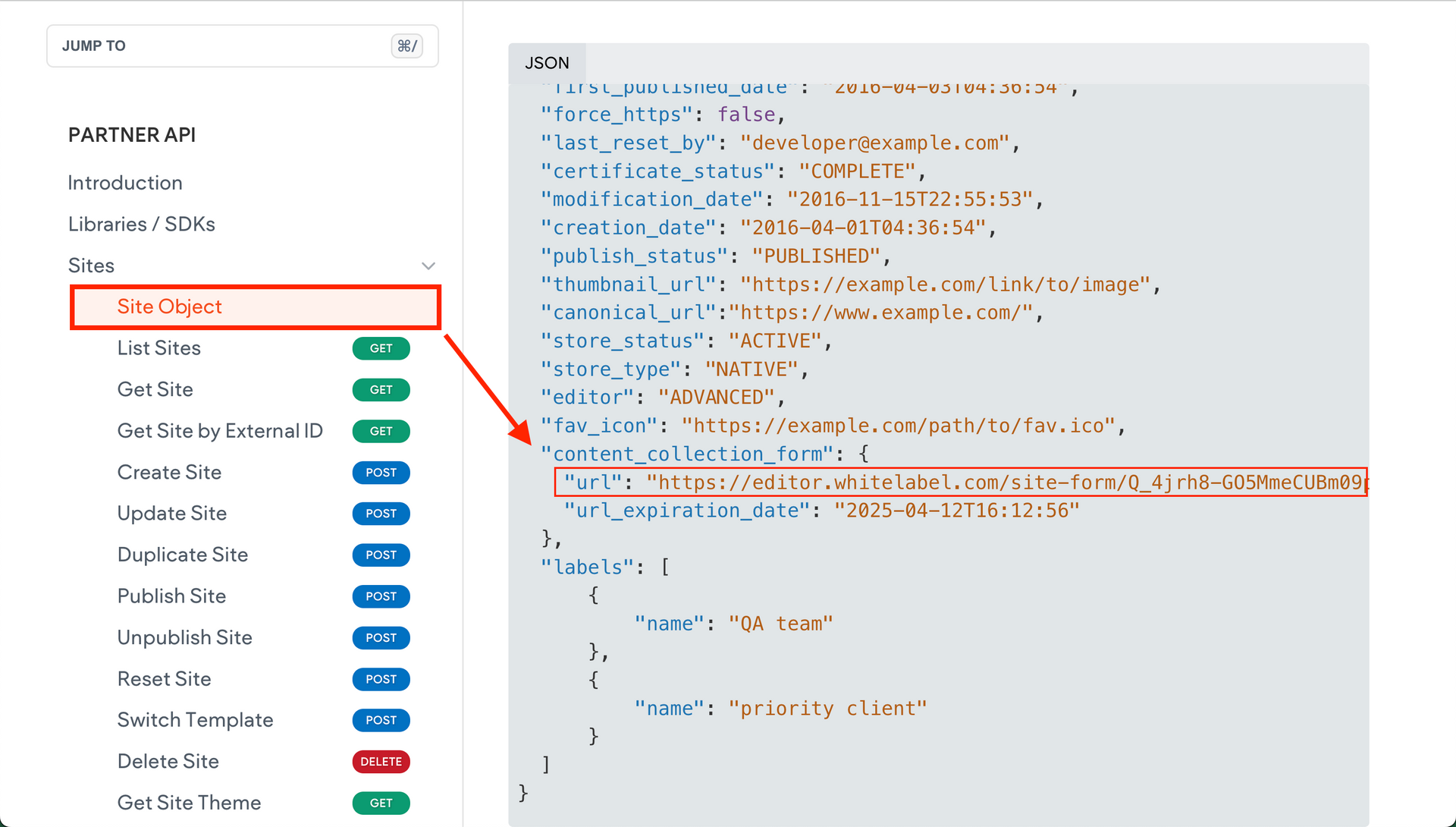
This key provides access to the form’s configuration, enabling you to integrate the form programmatically as part of your automation workflow.
Custom Form
Effort Level: ★★☆ to ★★★
For more flexibility, you can use
Duda’s native Contact Form,
Paperform, a custom form build through
Duda's Custom Widget Builder, or any external custom form solution. These can be configured to collect a wider variety of data and integrate more seamlessly into your workflows.
Just keep in mind that while these options offer greater customization, they typically require a higher level of effort to develop and maintain—especially if you're handling complex data mapping or API integrations.
Import content from existing external sources
Effort Level: ★★☆ to ★★★
This is ideal for scalable site creation but may require setup for authentication, data transformation, and syncing logic.
If you already have customer data stored elsewhere, such as:
- A CRM system
- An external database
- Another platform with relevant information
You can push this existing data directly into your Duda site through the API, enabling a fully automated update process without manual data entry.