
/Classic vs. editor 2.0
Rebuild your first section
Welcome to the course, and thanks for joining!
This course is designed for current users of the Classic Editor who are ready—or maybe just curious—about transitioning to Editor 2.0. We know that learning a new tool can feel a bit intimidating, and change often comes with a learning curve.
Our goal is to make this transition as smooth and practical as possible.
In this course, we’ll walk through building in both Classic and Editor 2.0, side by side, so you can clearly see how the experience compares. You'll gain an understanding of what’s new, what’s different, and—most importantly—how these changes can work in your favor.
By the end of the course, you’ll see how Editor 2.0 opens the door to improved workflows, more flexible and responsive web design, and even more business opportunities—like confidently upselling clients on redesign projects.
The best way to learn is by doing.
If you already have projects you're working on, we encourage you to apply what you learn directly to those. It’s a great way to see immediate results.
If you'd rather follow along with the example used in this course, feel free to download the assets provided.
Classic or Editor 2.0? Here's how to tell which Editor you're using.
From inside the editor
Option 1: Check the device icon in the top navigation bar

Look at the top of your screen for the device selector.
If you see a laptop icon with a crown, you're in Editor 2.0
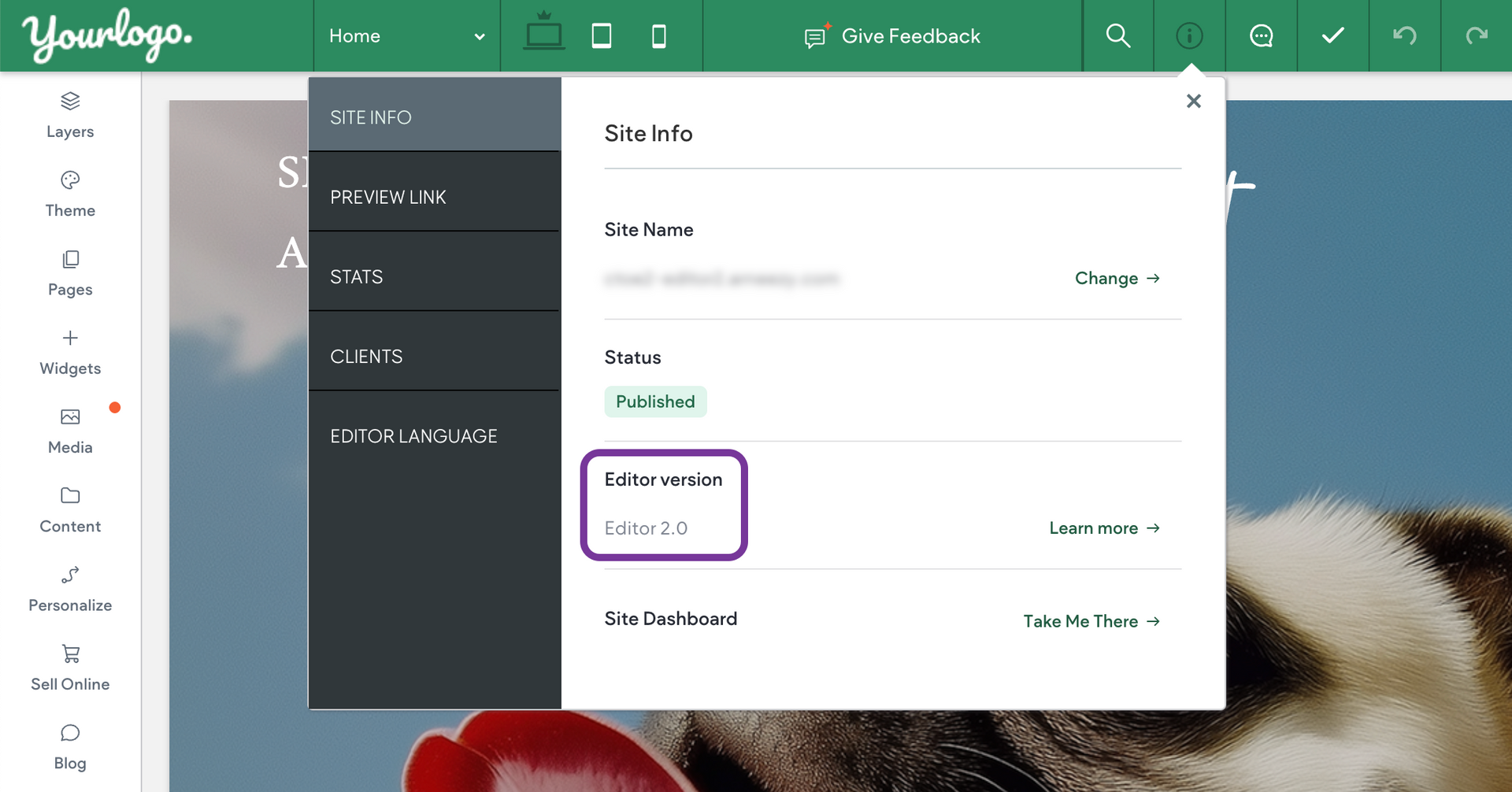
Option 2: Check the Editor Version in Info & Tools
Click the Info & Tools tab in the top navigation bar.
Under
Site Info, look for
Editor Version — it will say either
Editor 2.0 or
Classic.
From the dashboard
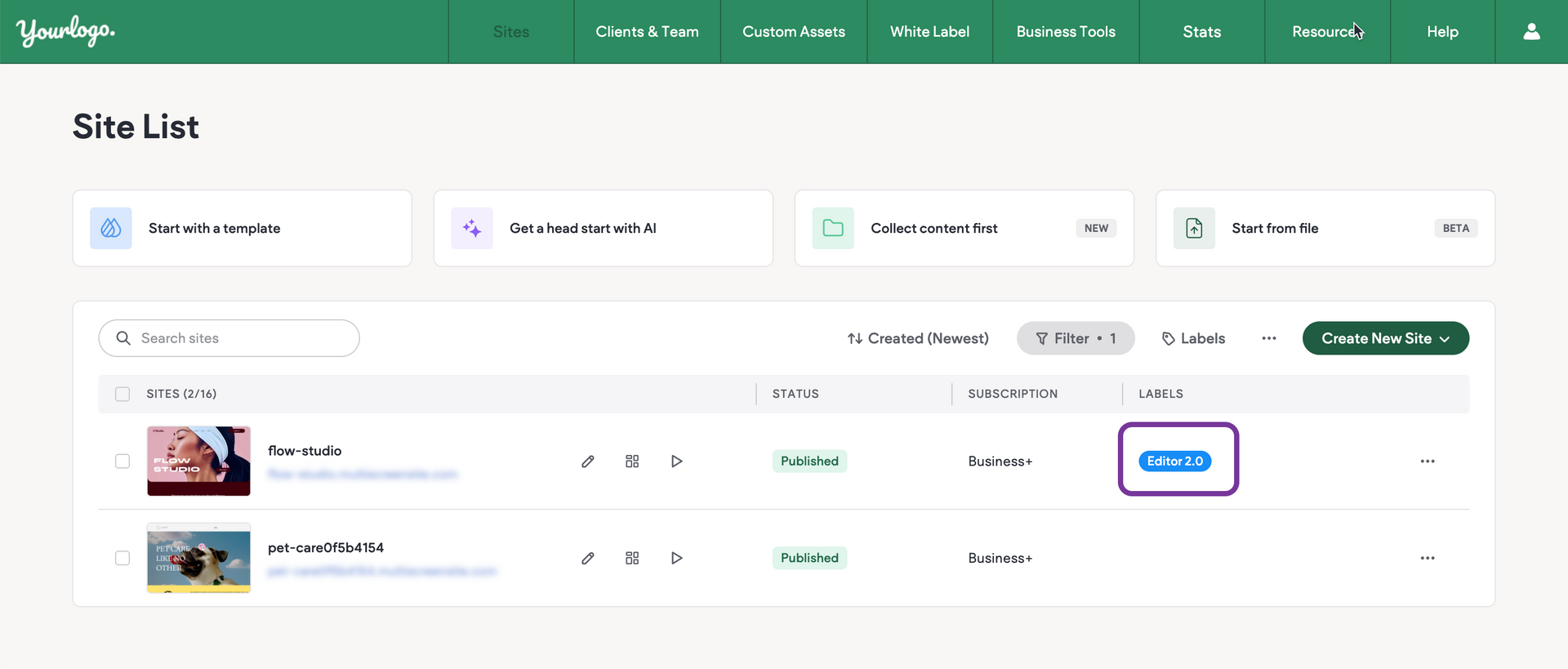
In your Site List, Editor 2.0 sites are labeled Editor 2.0
Classic sites are not labeled.
Note
Explore the full learning path and get hands-on with everything Editor 2.0 has to offer—from layout tools to advanced design features: Build a Site with Editor 2.0