
Meet Editor 2.0
/Editor 2.0
With a new UI and technology updates to maximize productivity, performance, and design flexibility, you can focus on building what you want to build. Faster than ever.
Finding what you’re looking for within Duda’s canvas is easy with new panels to help you stay focused and organized.
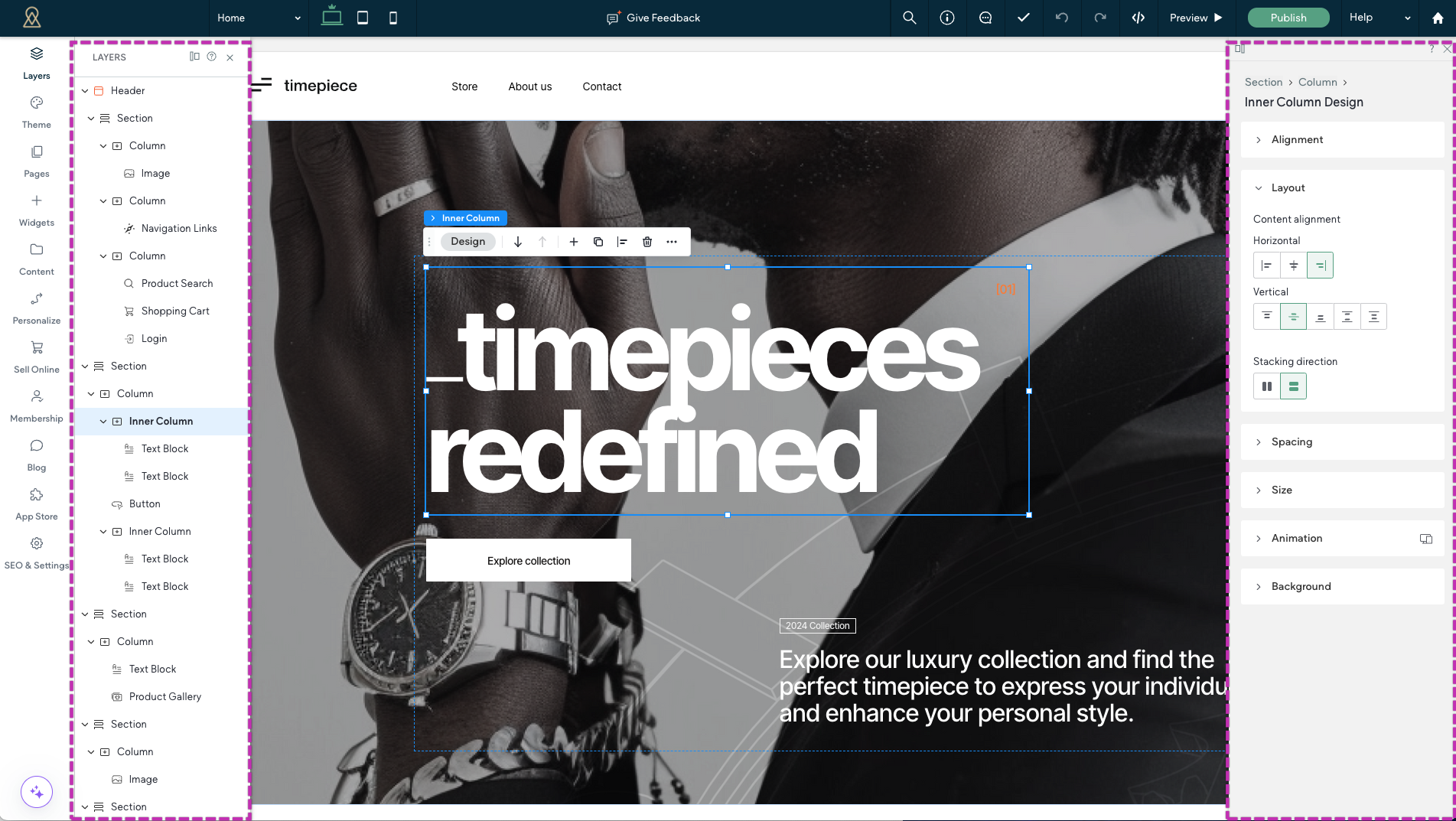
Design tools. All in one place.
The new Design panel has a permanent home on the right side of your canvas—allowing you to quickly make changes to the elements in your design without covering elements or interrupting your work.
This panel includes the ability to edit the styles and animations like you could with the previous editor, but now, there are new characteristics like
element alignment,
element size, and additional
sizing units to help you achieve exactly what you’re looking for.
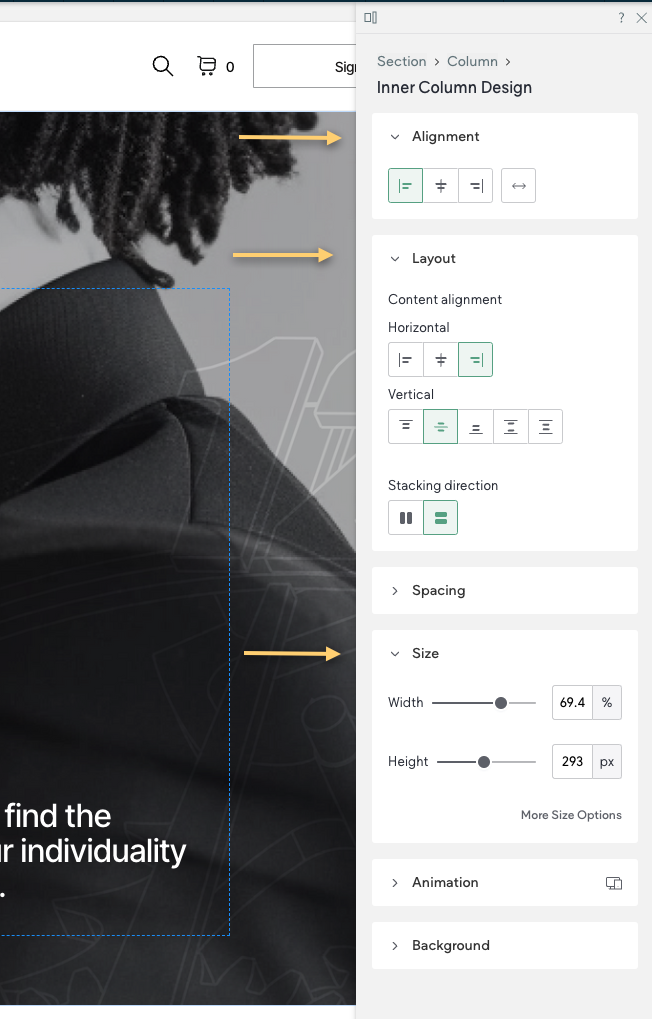
Helping you navigate the elements
There’s also a
Layers panel, offering a quick way to see how the site is built and navigate between elements. Every element on a page is listed and shown within the structural hierarchy of that page.
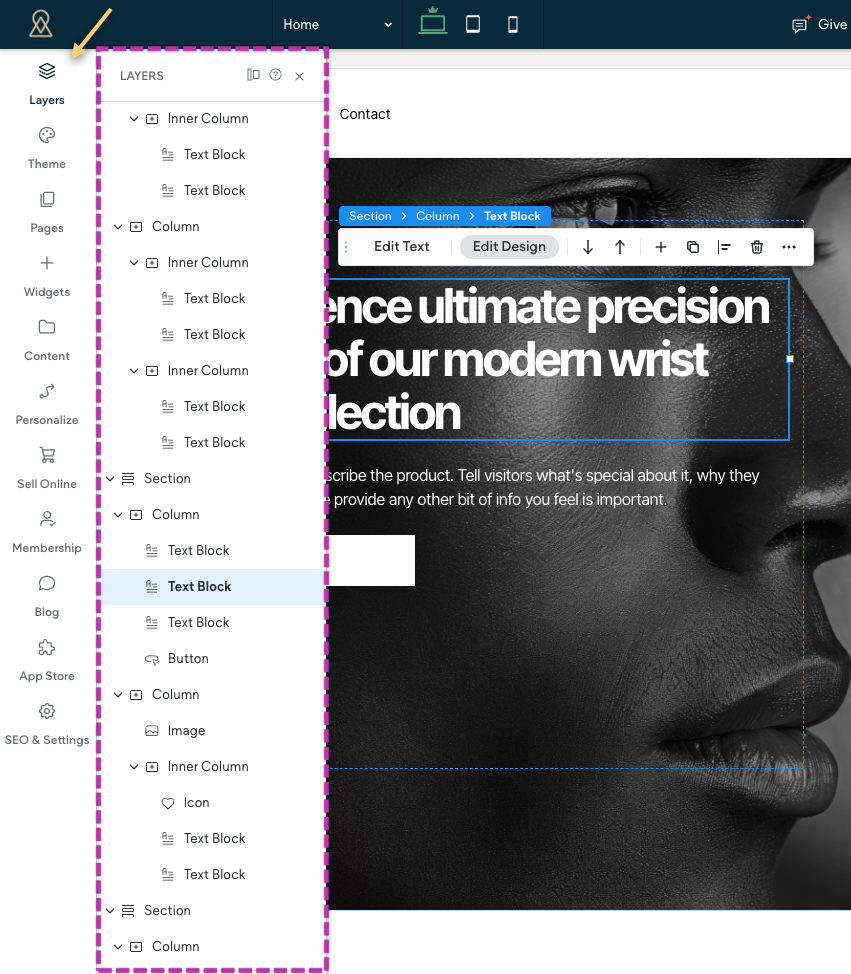
Header control at your fingertips
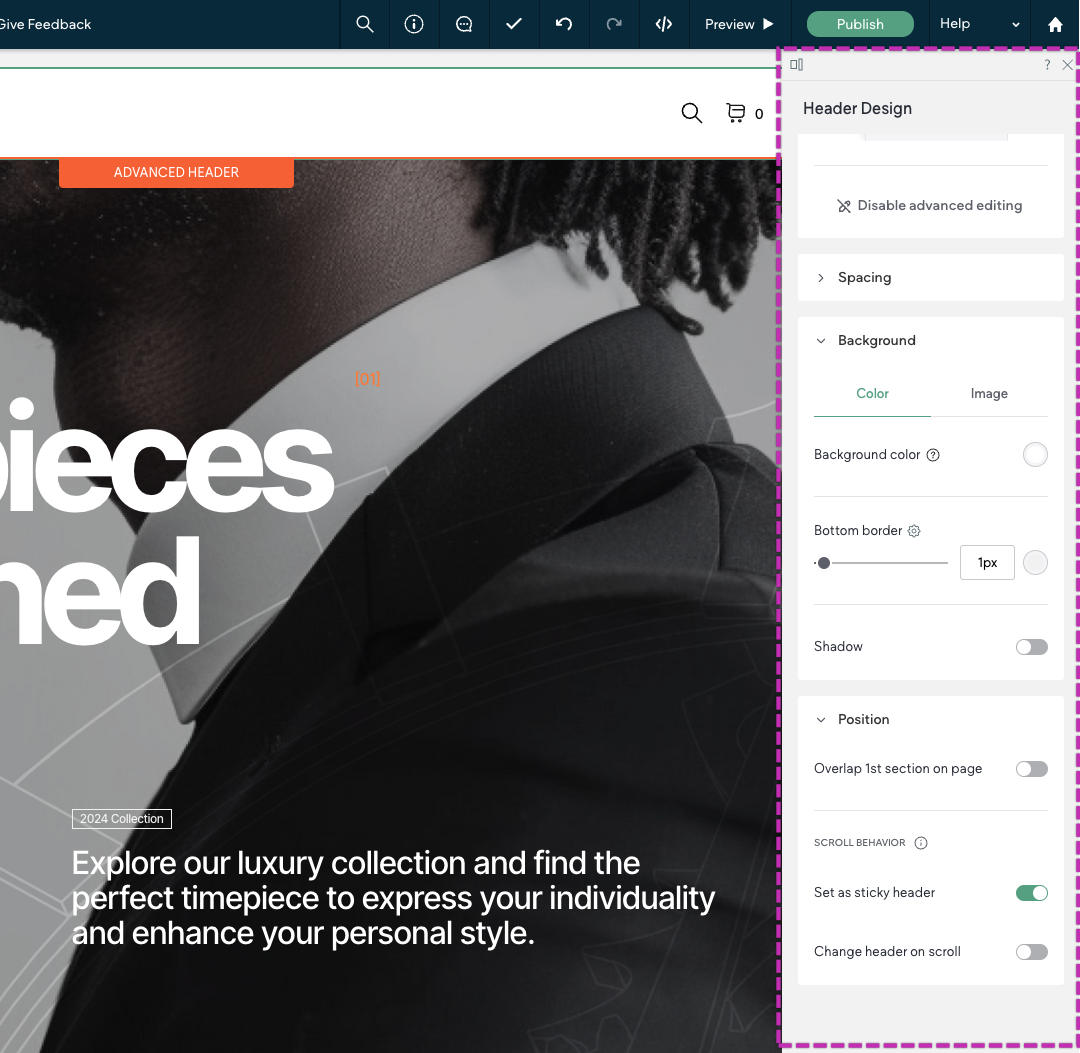
Also, we know many designers start building with the
header. Whether your header is basic or complex, we’ve got you covered. Use the basic editor to quickly get the key heading elements in place, or use the
Advanced Header to drill deeper — with additional buttons, social icons, sticky headers, advanced scrolling behaviors, and more!
Automagic layouts for tablets and mobile to save you time
Duda’s editor includes improved
automatic layout adaptation so your designs automatically adjust for different screen sizes. Simply design once for Desktop, then hop over to the other breakpoints to fine tune your layouts for other screens.

Sounds pretty great, right?
Move on to the next lesson! We'll give you a tour of Editor 2.0 so you can find your way around.
Yep. There's more.
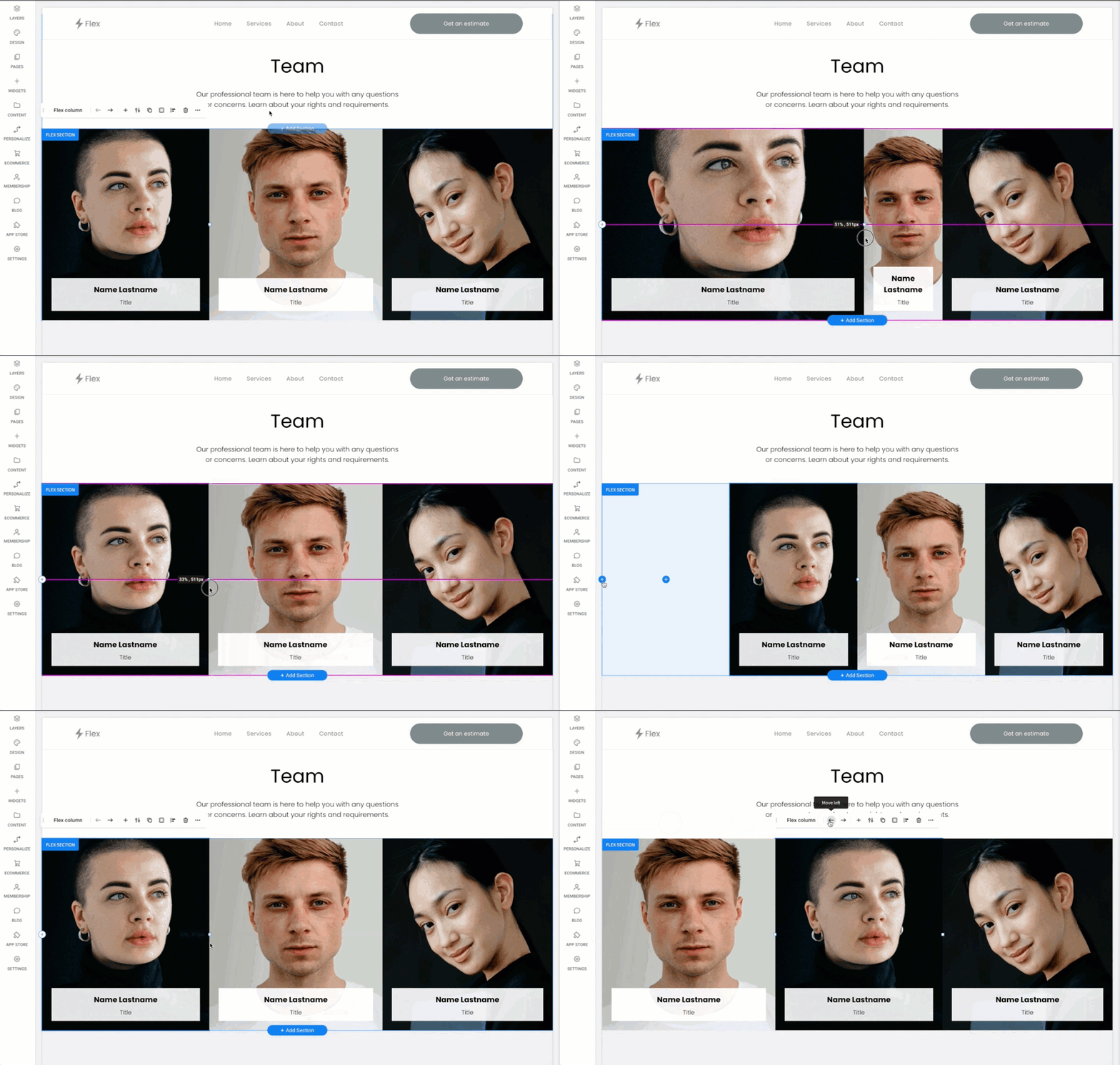
Drag to Resize Columns
Quickly resize columns to accommodate long paragraphs or wide images
How do I know if I'm using Editor 2.0?