
A common process
/LESSON 3
Now you've got all the pieces you need!
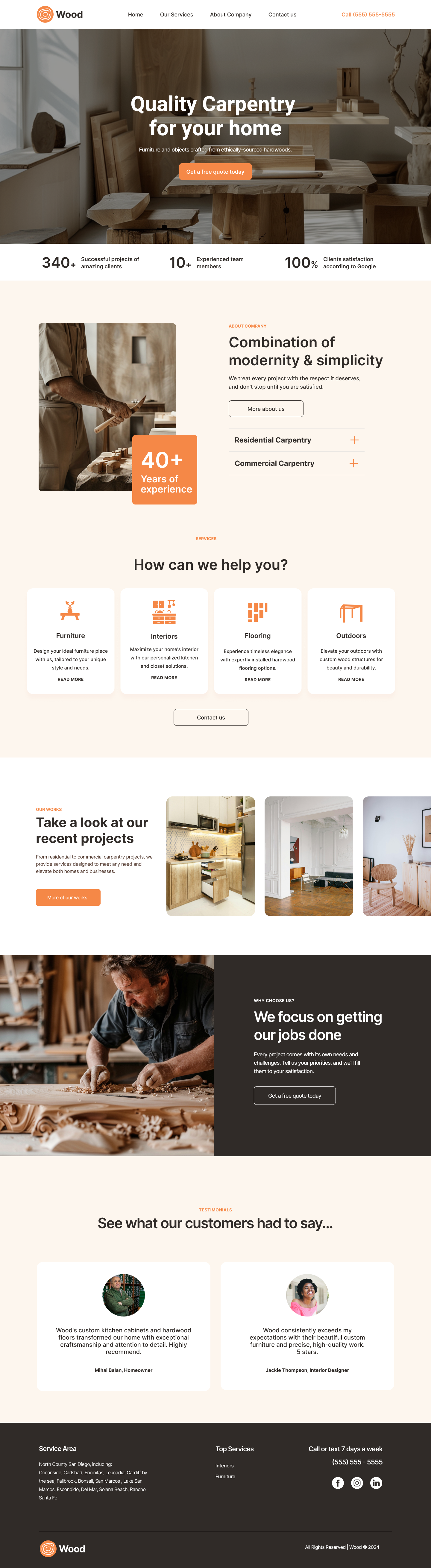
From this point, we’re going to build the carpentry site's home page together while learning key concepts along the way.
While there are lots of different approaches to building a page, the sequence we’re going to use is fairly common when a) you're transforming an existing template and b) you've been given a mockup with all copy and visual assets prepared.
Here's the process we'll go through in this series of courses:
- Collect the assets and project information — Done! ✅
- Choose a template + create a site
- Import assets into the Media Manager
- Customize the Theme
- Configure the site’s Header
- add additional pages to the site**
- Customize the Hero image
- Create + Customize the Sections in the Body
- Configure the site’s Footer
- Configure the site’s layout for tablets and mobile devices
**For this series of lessons, we're going to focus exclusively on the homepage. We will not be adding or modifying additional pages.
Did you know?
As is true for most creative endeavors, there are many different ways to get from ideation to a published site. Some methods are more automated, some are more manual. What we're doing in this course is similar to what Duda refers to as the “Do-It-For-Me” approach—a small business is coming to you for a website and they’re asking you to do all the building for them.